To share a playlist with everyone in your school or district account, follow these steps:
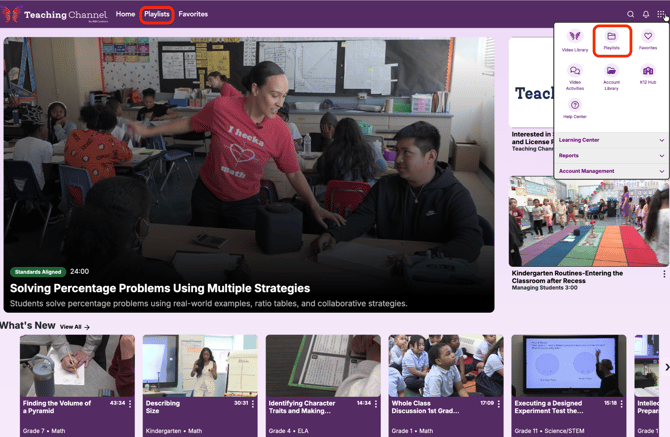
- Navigate to Playlists from the homepage or the waffle menu.
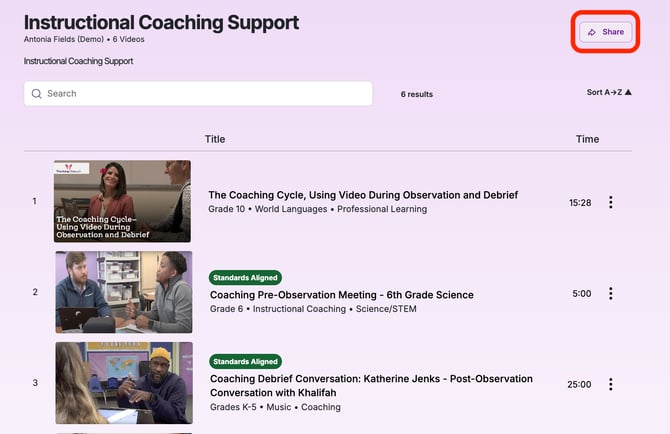
- Select the playlist you want to share.
- Click Share.
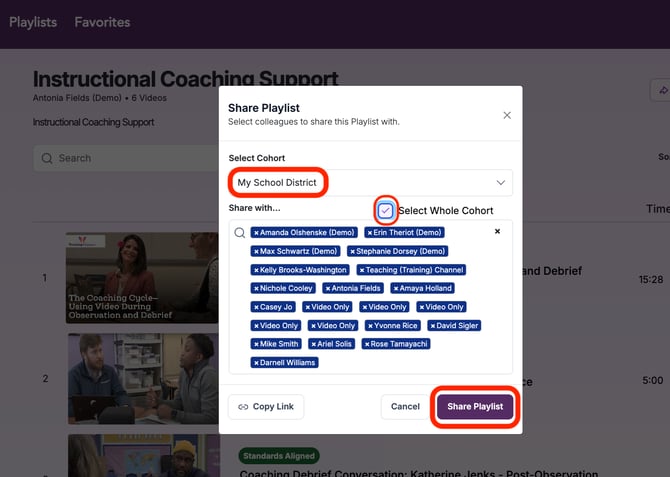
- From the Select Cohort dropdown, choose the cohort representing your entire school or district. This is typically labeled with your institution’s name followed by ALL.
- Check the Select Whole Cohort box to include everyone in the cohort.
- Click Share Playlist to complete the process.